
Direct the shot.Not the prompt.
Conjure assembles every prompt from your script — characters, locations, camera packages — so you can stay in creative mode. Script to branded storyboard deck in an afternoon.
Join the waitlist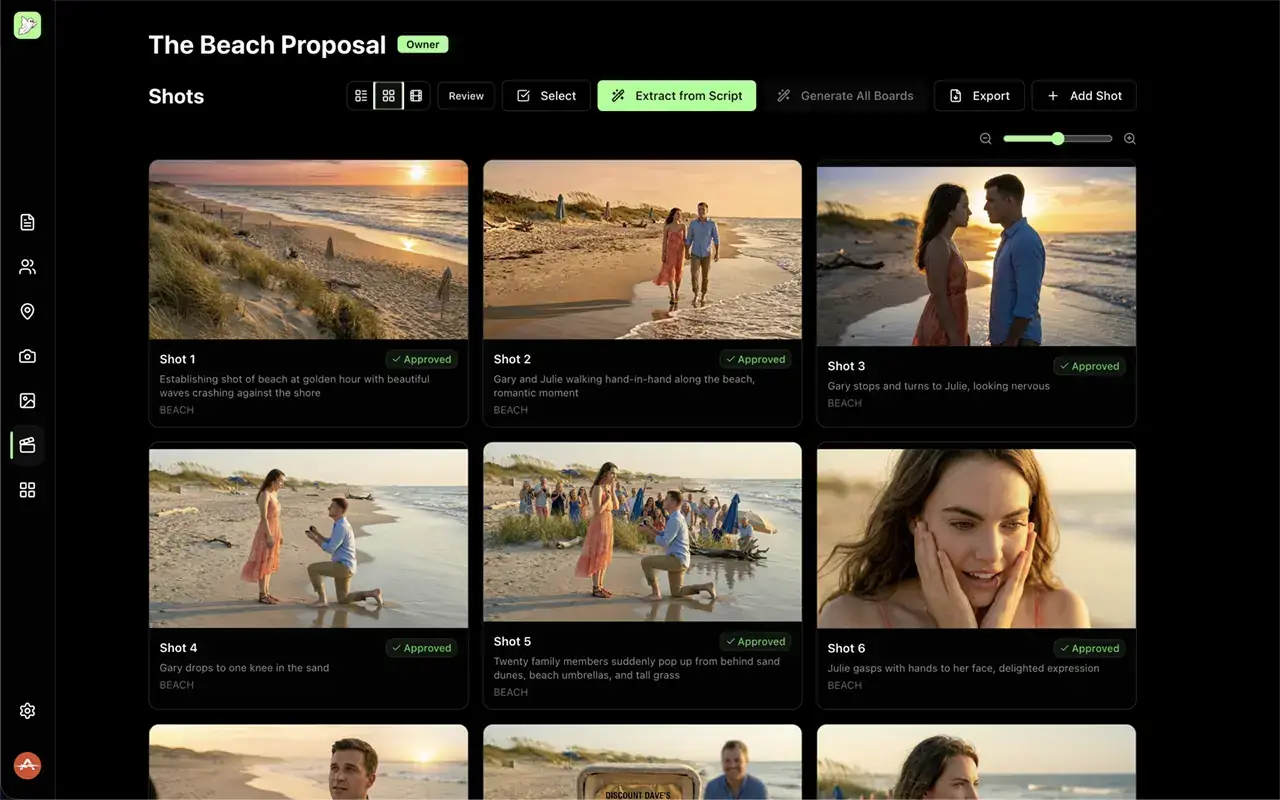
How it works
The pipeline
Google Slides deck
- 01
Extract from the script
Paste your script. Conjure reads it and returns named characters with descriptions, wardrobe, and notable traits — pulled directly from the text in under a minute.
- 02
Assemble each shot
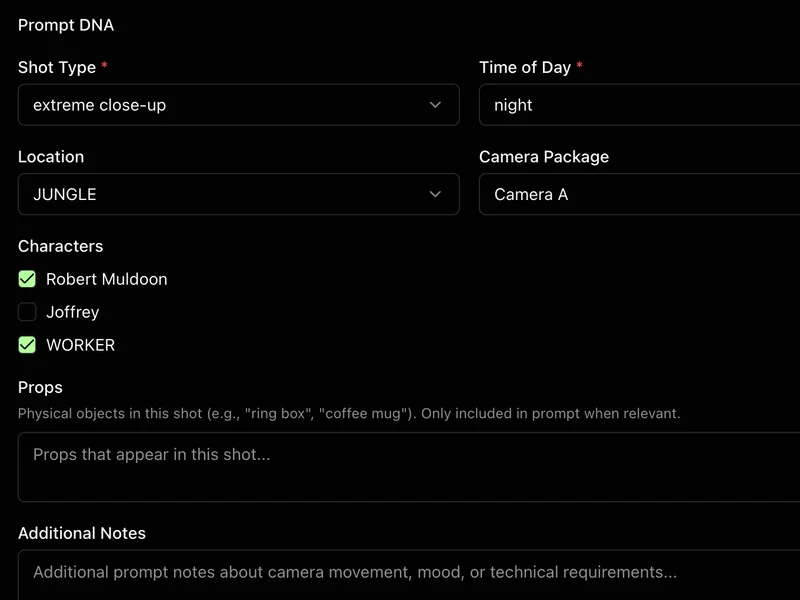
Pick the character, location, and camera package for each shot — or let Conjure pick them for you. The generation prompt builds itself; no typing the same camera spec twice.
- 03
Export to Google Slides
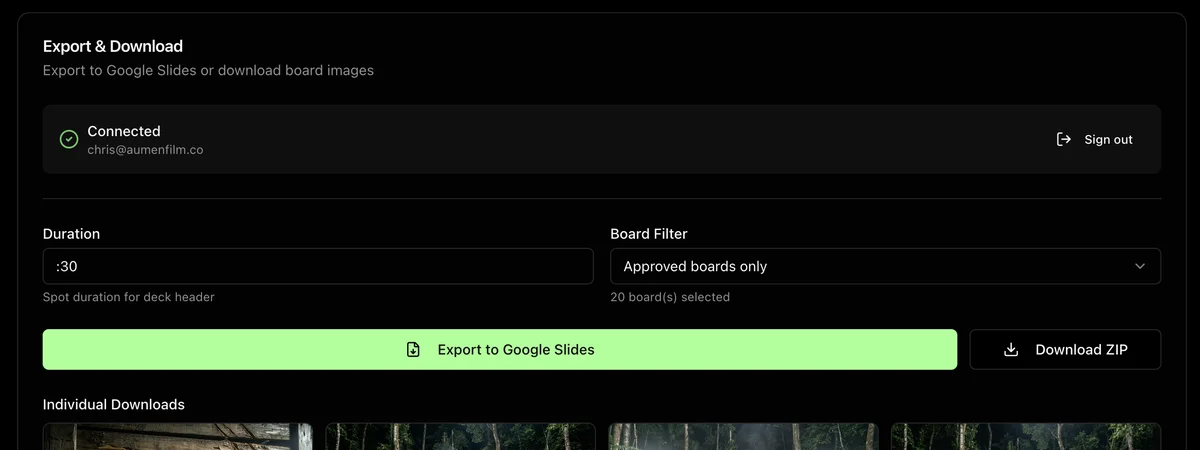
Approved boards go to Google Slides in one click. Sign in with Google, hit export, and a branded deck lands in Drive — a traditional storyboard grid with captions and dialogue under each frame, ready to send.
What you get
Shot Extraction
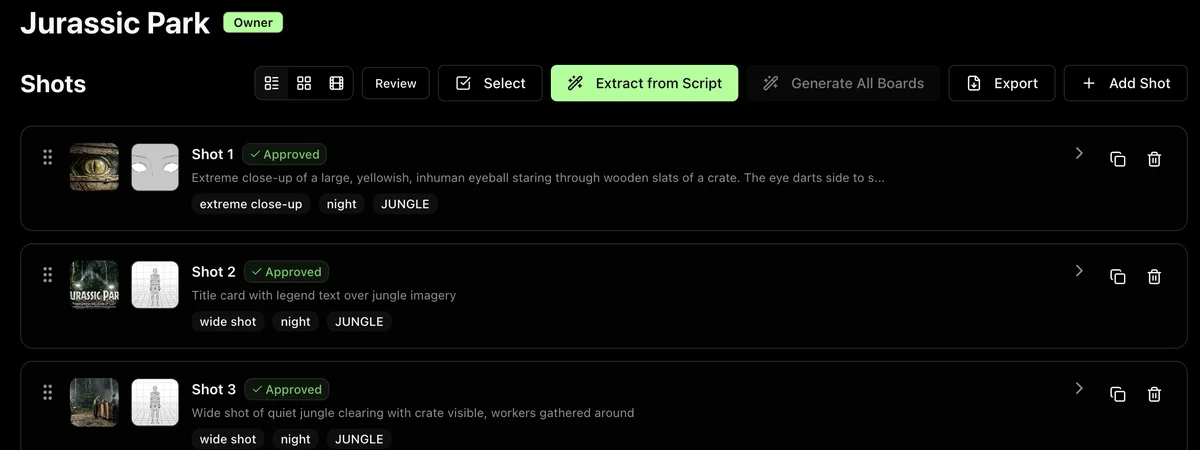
Paste the script. Conjure reads it scene by scene and builds a shot list — setups, coverage logic, framing decisions derived from proven composition frameworks. Establishing, coverage, close-up, cutaway: every choice justified by what the scene actually needs. You start the board with a draft, not a blank page.
Character Intelligence
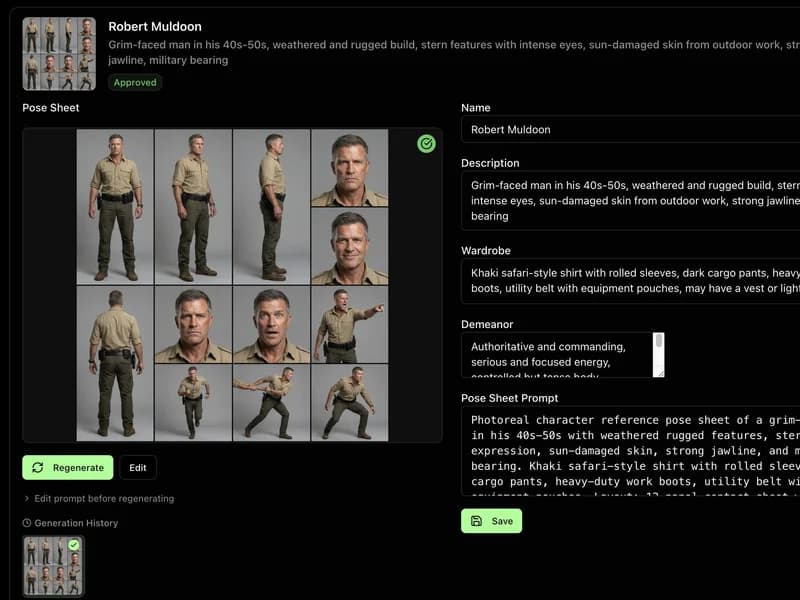
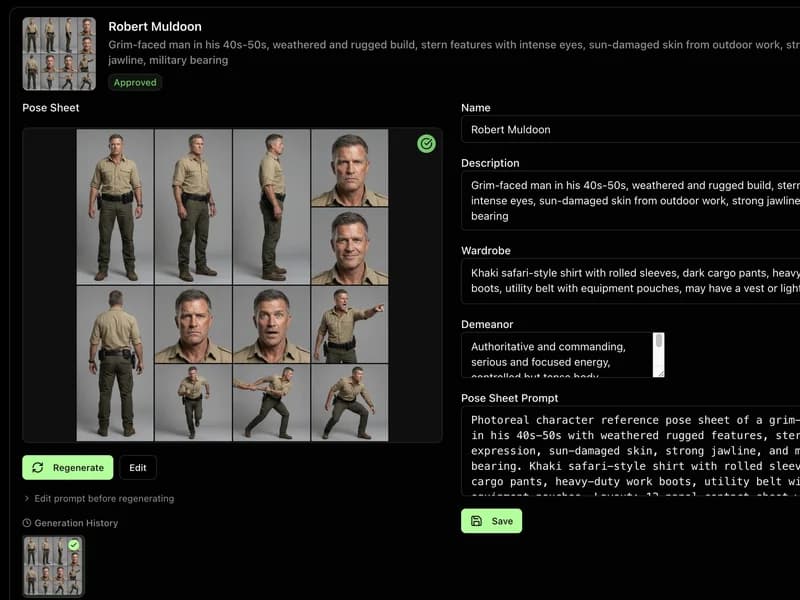
Every character briefed and locked before shot one. Conjure reads the script and pulls names, descriptions, wardrobe, and notable traits — no manual notes, no rereading. Then generates a pose sheet: front, three-quarter, profile. Shot 1 and shot 28 look like the same person.
Location Intelligence
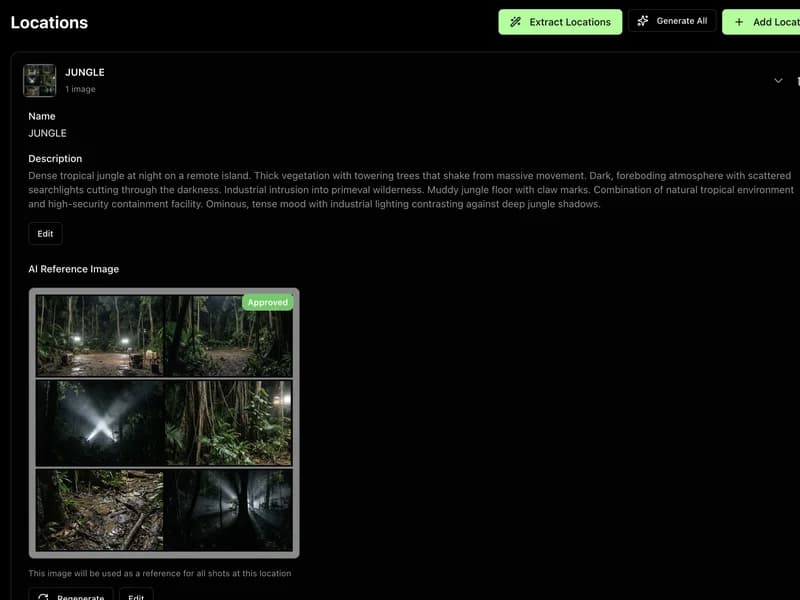
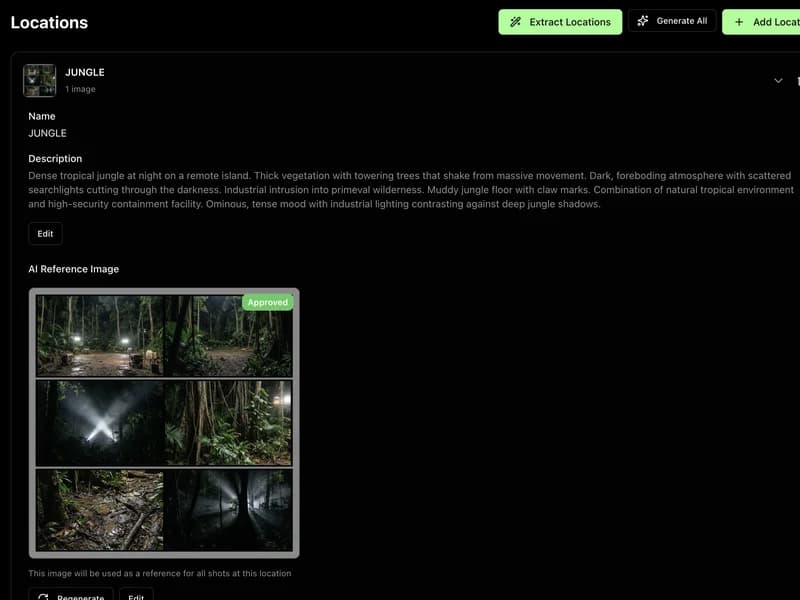
Every space your scenes live in, extracted and documented. Conjure pulls locations from the script and generates visual reference sheets so the beach at dawn in shot 4 matches the beach at dawn in shot 19. No mismatched backgrounds. No drift between setups.
Component Assembly
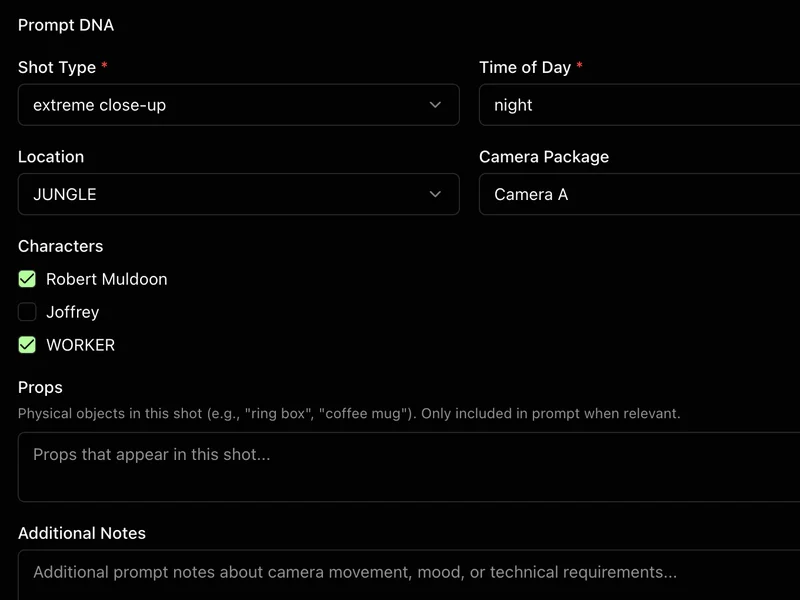
Build once, reuse everywhere. Characters, locations, camera packages — stored as components and assembled per shot automatically. A 30-shot board without typing the same description twice. The repetitive work is gone; the creative decisions stay.
Camera Package Presets
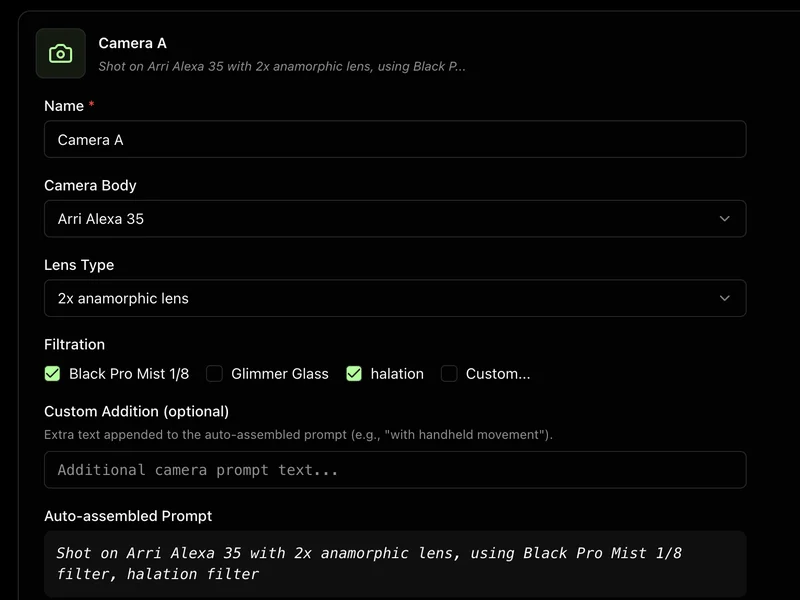
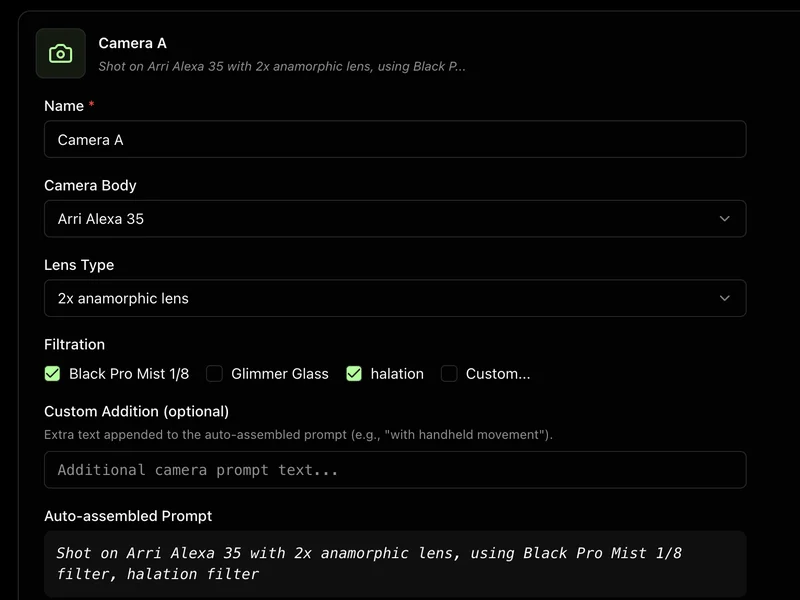
Lock the look once. RED Komodo, 35mm anamorphic, Glimmerglass — entered once per project, applied to every shot. The camera spec is never a question. Your attention stays on the frame.
One-Click Deck Export
Approved boards to a shareable link in one click. Sign in with Google, hit export — a branded deck lands in Drive. A traditional storyboard grid with captions and dialogue under each frame. No downloading images. No assembly.
Shot Extraction
Paste the script. Conjure reads it scene by scene and builds a shot list — setups, coverage logic, framing decisions derived from proven composition frameworks. Establishing, coverage, close-up, cutaway: every choice justified by what the scene actually needs. You start the board with a draft, not a blank page.
Character Intelligence
Every character briefed and locked before shot one. Conjure reads the script and pulls names, descriptions, wardrobe, and notable traits — no manual notes, no rereading. Then generates a pose sheet: front, three-quarter, profile. Shot 1 and shot 28 look like the same person.
Location Intelligence
Every space your scenes live in, extracted and documented. Conjure pulls locations from the script and generates visual reference sheets so the beach at dawn in shot 4 matches the beach at dawn in shot 19. No mismatched backgrounds. No drift between setups.
Component Assembly
Build once, reuse everywhere. Characters, locations, camera packages — stored as components and assembled per shot automatically. A 30-shot board without typing the same description twice. The repetitive work is gone; the creative decisions stay.
Camera Package Presets
Lock the look once. RED Komodo, 35mm anamorphic, Glimmerglass — entered once per project, applied to every shot. The camera spec is never a question. Your attention stays on the frame.
One-Click Deck Export
Approved boards to a shareable link in one click. Sign in with Google, hit export — a branded deck lands in Drive. A traditional storyboard grid with captions and dialogue under each frame. No downloading images. No assembly.
FAQ
Do I need to know how to draw?+
No. You pick characters, locations, and a camera package — Conjure generates the board. Directors who have never touched an illustration tool use it end-to-end. The output looks like a real previs deck because it is one.
What happens to my script?+
Your script is processed to extract character names and descriptions. It is not stored beyond your session and is never used to train any model. You own the output.
How is this different from just using Midjourney?+
Midjourney generates one image. Conjure generates a full shot list where the same character looks the same in shot 1 and shot 28 — and exports directly to a Google Slides deck you can send. The difference is a consistent board versus a folder of images to reassemble manually.
Get early access
Be first to know when Conjure opens. One email when it does.